PPD budgeting for nursing homes and assisted living
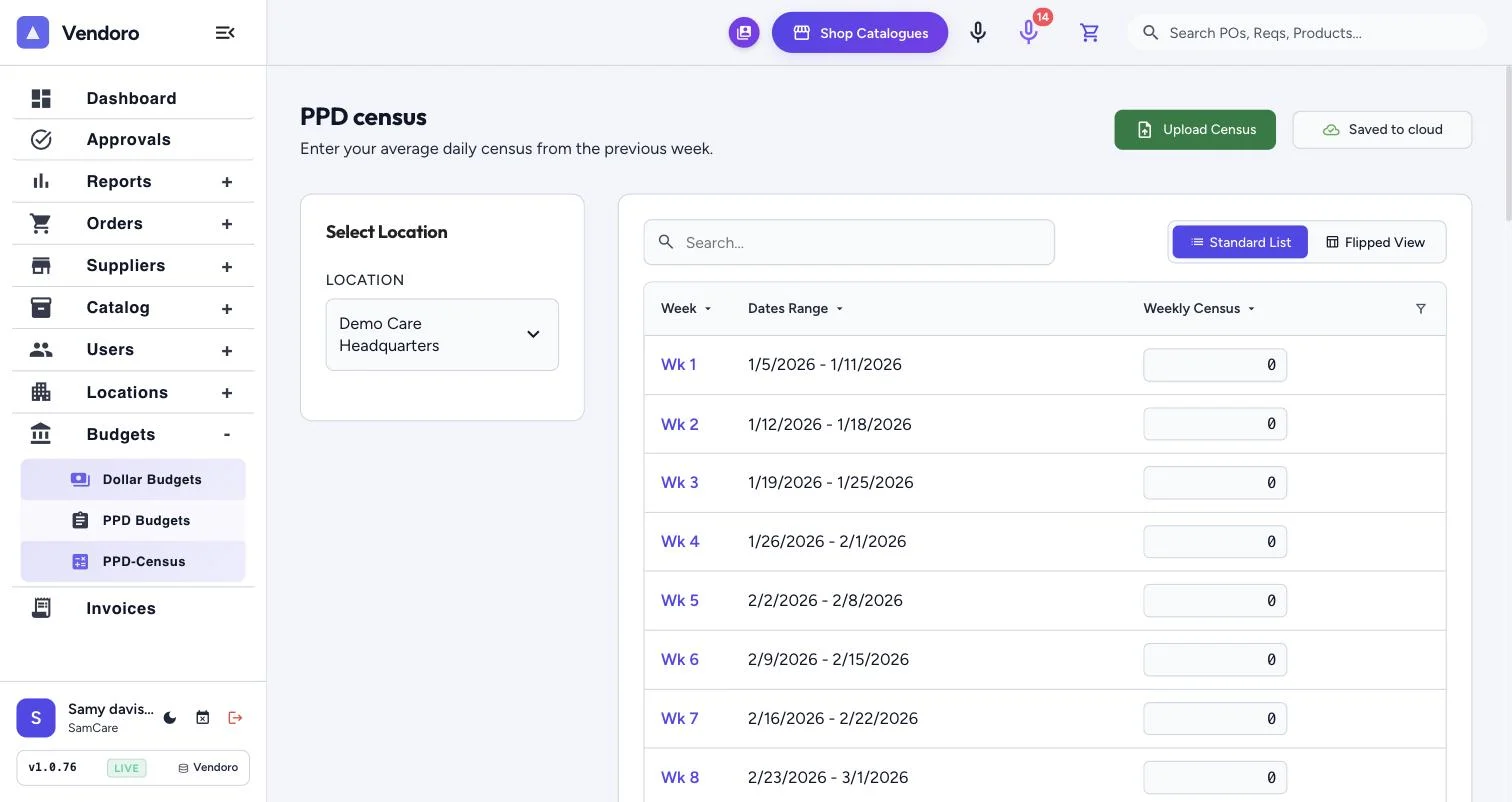
Vendoro sets supply budgets per patient day (PPD), so each building’s budget rises and falls with census instead of staying a flat monthly number. Census is entered weekly or uploaded as a file, every requisition shows its effect on the PPD budget before it is sent, and over-budget orders go to an approver.
Why flat budgets mislead
A building budgeted for 90 residents but running at 75 overspends per resident while looking on budget. One running at 100 looks over budget while spending correctly. PPD fixes the comparison: budget = PPD rate × patient days.
An illustration at $3.50 per patient day
| 30-day month | Flat $9,000 budget → PPD budget |
|---|---|
| Census 75 | $9,000 → $7,875 |
| Census 95 | $9,000 → $9,975 |
How it works in Vendoro
- Set the budgetPer location: dollar budgets by period and category, or a PPD budget driven by census.
- Keep census currentEnter it week by week, or upload a census file and Vendoro posts the whole period at once.
- Order as usualThe requisition editor shows the budget panel with census and PPD before anything is sent.
- Over the limit?An over-budget warning appears, and the approval chain can add an over-budget step.
- Watch actualsApproved invoices replace PO amounts in actuals. A weekday morning email lists budgets at 90% or more.
Frequently asked questions
Does PPD cover every supplier, or one distributor?
Every supplier you buy through Vendoro counts against the same PPD budget.
Does census come from our EHR automatically?
Census is entered week by week or uploaded as a file. For automatic census uploads, contact support.
Do freight and tax count?
They can. Each customer chooses whether freight and tax count toward actuals.
Who sees budget figures?
Only people with the right to see budgets. Others get the over-budget warning without the numbers.