Requisitions and purchase orders
Staff order in Vendoro from a shopping cart built from their location’s order guide or the whole catalog. The cart shows each line’s GL account and the budget impact before it’s sent, and splits across suppliers automatically. Approved requisitions become purchase orders, sent to each supplier as a PDF with a link into the supplier portal.
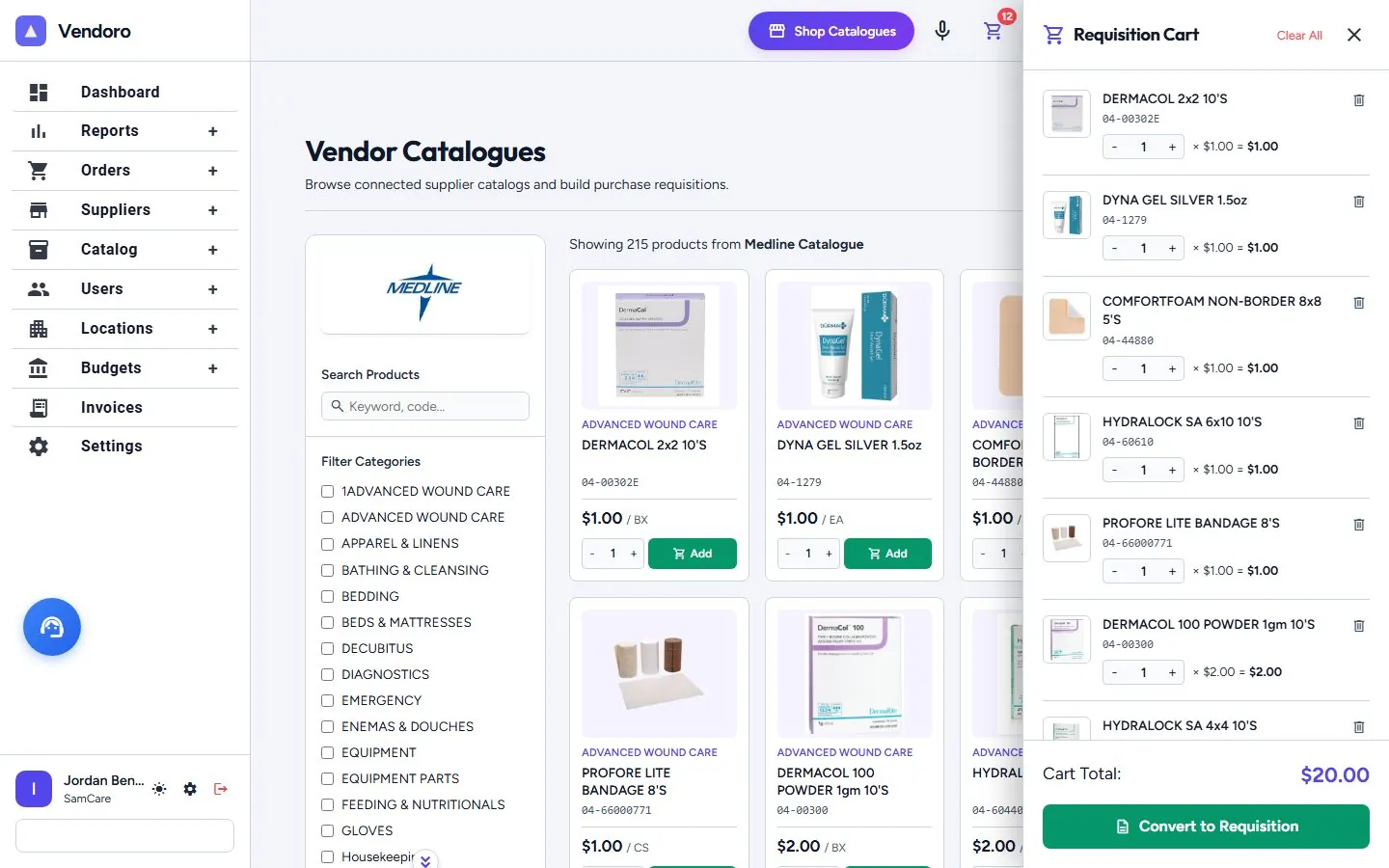
From cart to purchase order
- ShopStart from Shop Catalogues, the order guide, a stock count or voice ordering.
- CheckPar and on-hand hints, GL accounts, backorder warnings with substitutes, and the budget panel with census and PPD.
- SendThe approval steps are shown first. The cart splits into one purchase order per supplier.
- OrderEach PO goes to the supplier as a PDF and by email, with a link into the supplier portal. PO numbers start with the location’s code.
- ConfirmOrder Confirmations sets what each supplier said against what was ordered; anything your rules can settle is settled automatically.
Keeping track
| Screen | What it shows |
|---|---|
| Pending Requisitions | Every requisition with requester, location, category, total, budget impact and status |
| Purchase Orders | Supplier, location, shipping, tax, total, status, invoiced or not, create and delivery dates; Today’s POs |
| Receiving | Open and received POs, with packing-slip scan |
Frequently asked questions
Can staff order from more than one supplier at once?
Yes. One cart can hold items from many suppliers; Vendoro splits it into one purchase order per supplier.
Can buyers change a purchase order after it’s sent?
Yes. Buyers can replace, split or remove lines, and if a supplier changes an order you see the original and the change side by side.
Does Vendoro support punchout?
Punchout to supplier websites is coming soon.