Set up PPD budgets
Budget supplies per patient day so the budget follows census.
A PPD budget sets a supply budget per patient day for a location, so the budget follows census.
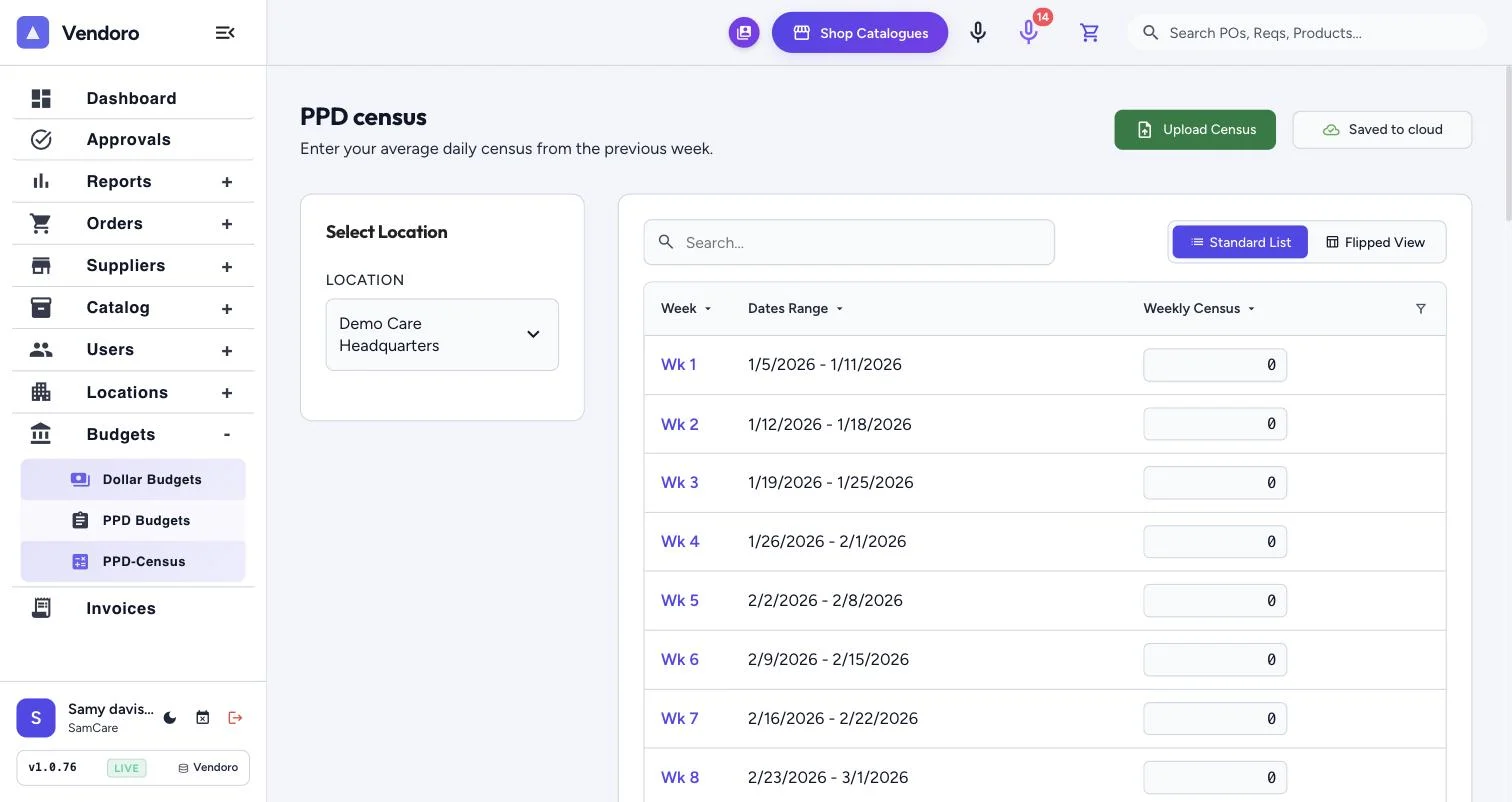
PPD budgets use the most recent census before the period starts: last week’s for a weekly budget, and the latest on or before the end of the previous month for a monthly one. Keep census current, or the budget has nothing to work from.
Go to Budgets › PPD Budgets.
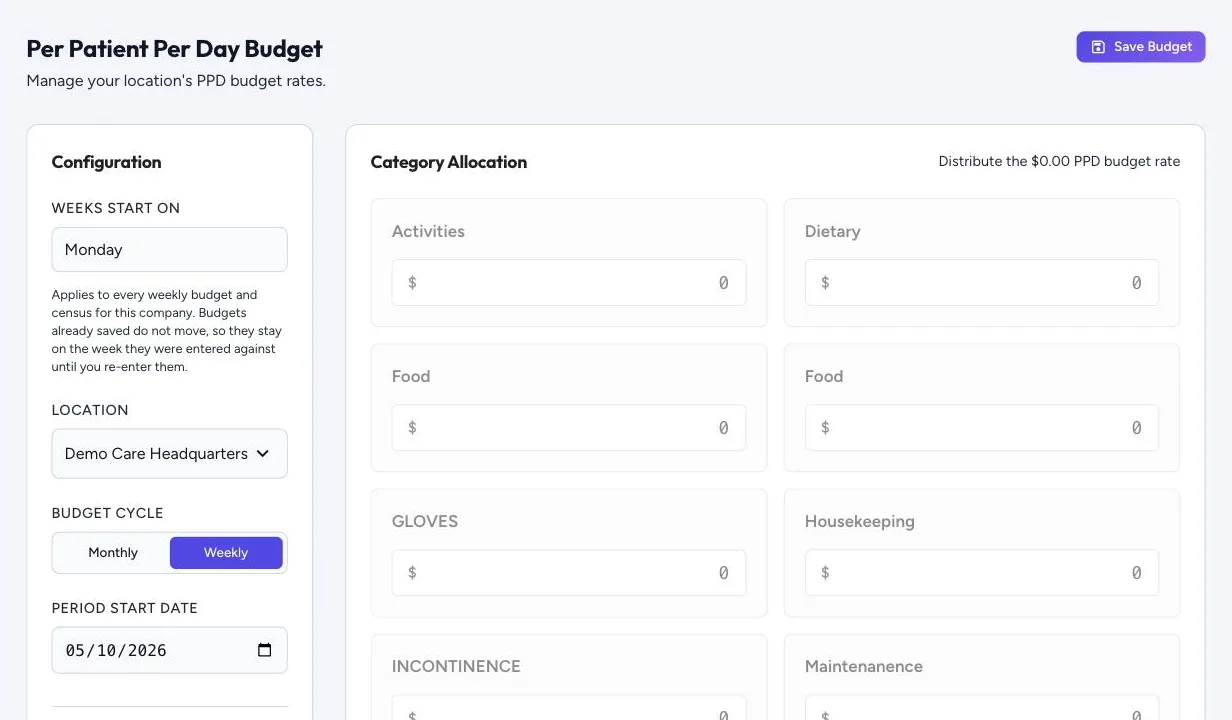
- Weeks Start On, shared with dollar budgets and census.
- Location, Budget Cycle (Monthly or Weekly) and Period Start Date.
- The rate first: a location with no PPD budget yet asks how much it can spend per resident per day in total, across all top-level categories. Enter the amount and choose Set PPD budget. You can change it later under Total PPD Budget, All Categories (per Resident per Day).
- Category Allocation: split the rate across categories; Unallocated shows what’s left. Splitting is optional.
- Prioritize PPD budgets: turn on so orders are checked against the PPD budget, and your users see budgets in PPD first, rather than in dollars. While it’s off, the first step reminds you that orders are checked against the dollar budget. The switch saves straight away, changes nothing else, and needs the right to change settings.
- Save Budget, then enter census.
How actuals work
- Requisitions count as pending once they’re sent, and as approved once they’re approved or ordered. Editing a submitted requisition doesn’t count it twice.
- When an invoice is approved, its amount replaces the PO amount, so the budget moves by the difference, in the order’s period.
- Orders closed short stop counting what never arrived. Deleted orders, and deleted or replaced lines, don’t count.
- Freight and tax count only if turned on in Budget Settings.
A worked example
At $3.50 per patient day, a 30-day month at census 75 gives $7,875; at census 95, $9,975. A flat $9,000 budget would hide overspending in the first month and flag correct spending in the second.