Invoice automation, including invoices with no purchase order
Vendoro captures invoices from a PDF, a phone photo or the supplier portal and reads them with AI, including service invoices that have no purchase order. It checks for duplicates, matches invoices to the order and receipt, suggests GL coding from past invoices, routes them for approval and exports approved batches to accounting.
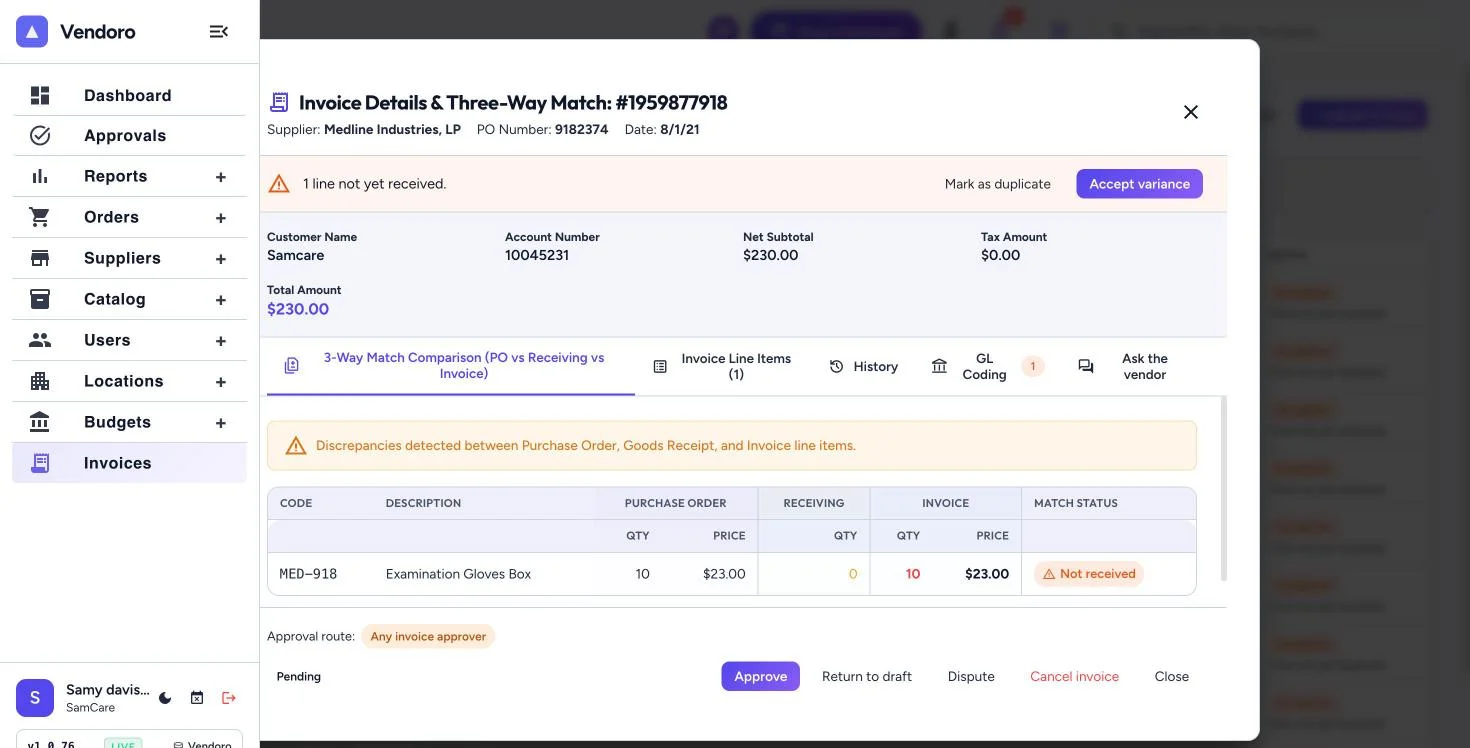
From invoice to accounting
- CaptureUpload a PDF or a phone photo, email it to your company's invoice address, type it in, or the supplier submits it in the portal. The original is kept beside the extracted fields.
- CheckDuplicate check on supplier and invoice number, with a warning for the same total in the same week.
- MatchThree-way matching against the PO and the receipt; credit memos matched to returns.
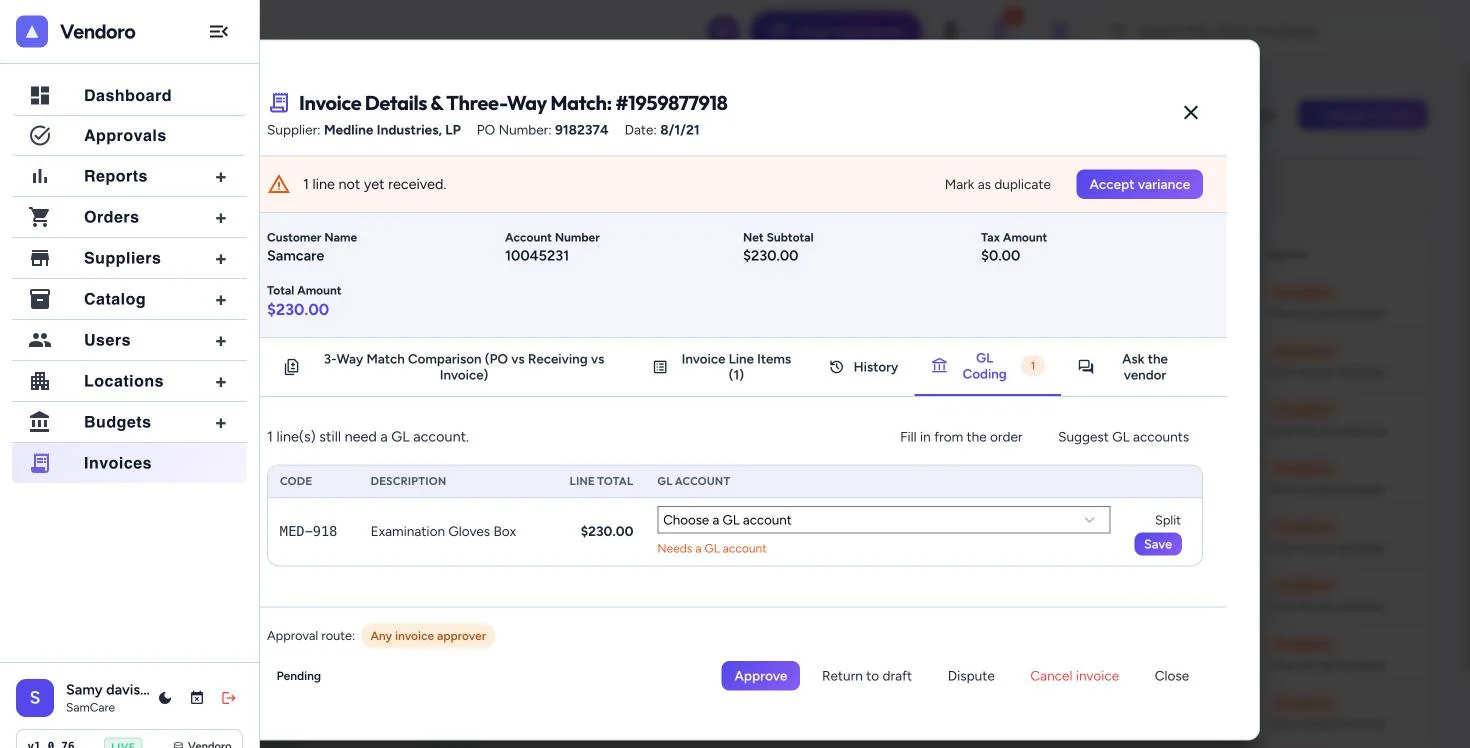
- CodeGL coding per line with splits, filled from the PO or the category, with AI suggestions from past coding that a person accepts.
- ApproveSeparate approval chains for invoices; clean matches under a limit can approve automatically.
- ExportApproved invoices export in batches as CSV, and are marked paid one at a time or in bulk with a payment reference.
Invoices with no purchase order
Service invoices are a recurring pain in senior care: hard to code, route, de-duplicate and check. Vendoro reads them the same way, suggests coding from how similar invoices were coded before, and routes them through the invoice approval chain.
When something is unclear, “Ask the vendor” opens a question thread on the invoice that the supplier answers in the portal.
Frequently asked questions
Which accounting systems does it export to?
Approved invoices export in batches as CSV. A direct Sage Intacct connection is coming soon; QuickBooks Online, NetSuite and Yardi are planned.
Can suppliers submit invoices directly?
Yes. Suppliers invoice from the PO lines in the supplier portal, attach the PDF, and see the status until it is paid.
Is EDI supported?
EDI invoices (810) are planned and not available yet.