Invoice statuses and questions
Where an invoice is in its life, and how to ask the supplier about it.
Statuses
| Status | Meaning |
|---|---|
| Draft | Captured, not yet sent for approval |
| Pending | Waiting in the invoice approval chain |
| Approved | Ready to export |
| Exported | Its export batch has been released to accounting |
| Paid | Marked paid, with a payment reference |
| Disputed | Disputed with a note; Resolve dispute returns it to Draft |
| Cancelled | Not to be paid |
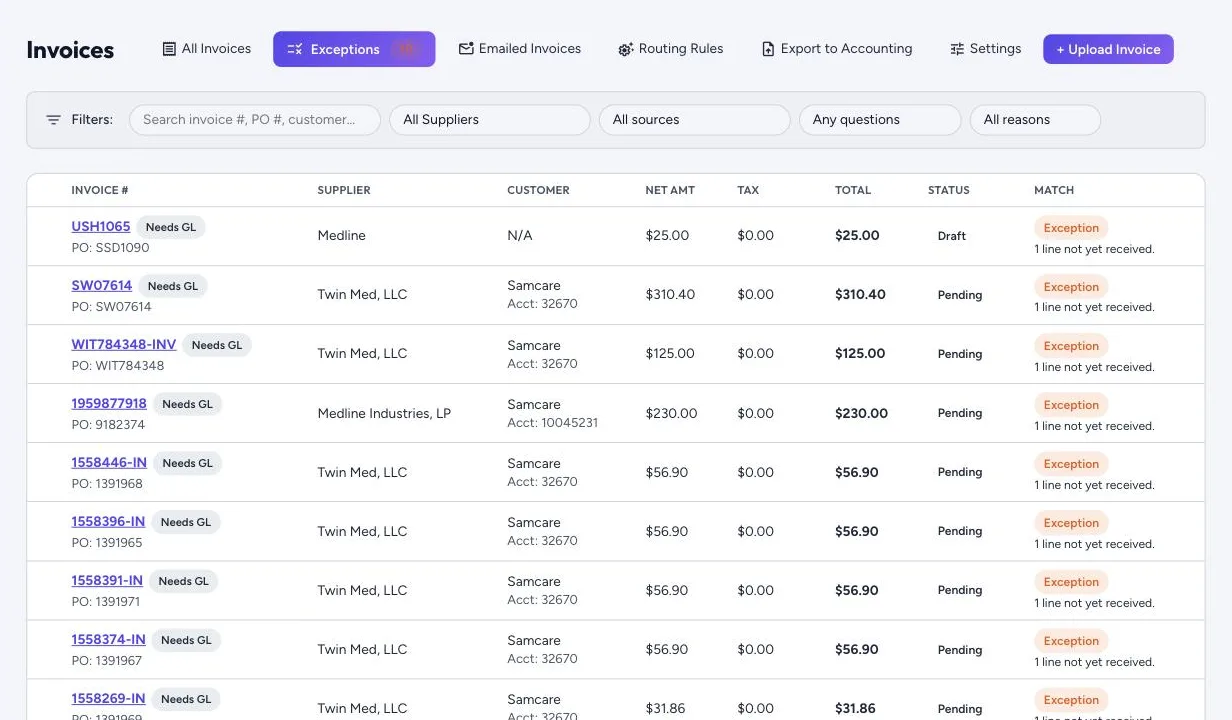
Every change is kept in the invoice’s history, and each invoice shows its approval route and who it’s waiting for. You approve invoices from Invoices › All Invoices. The dashboard’s “invoices waiting for your approval” line opens that list showing only the invoices waiting for your approval. You can also Return to draft, Reopen an approved invoice that hasn’t been exported, or Reassign its approver.
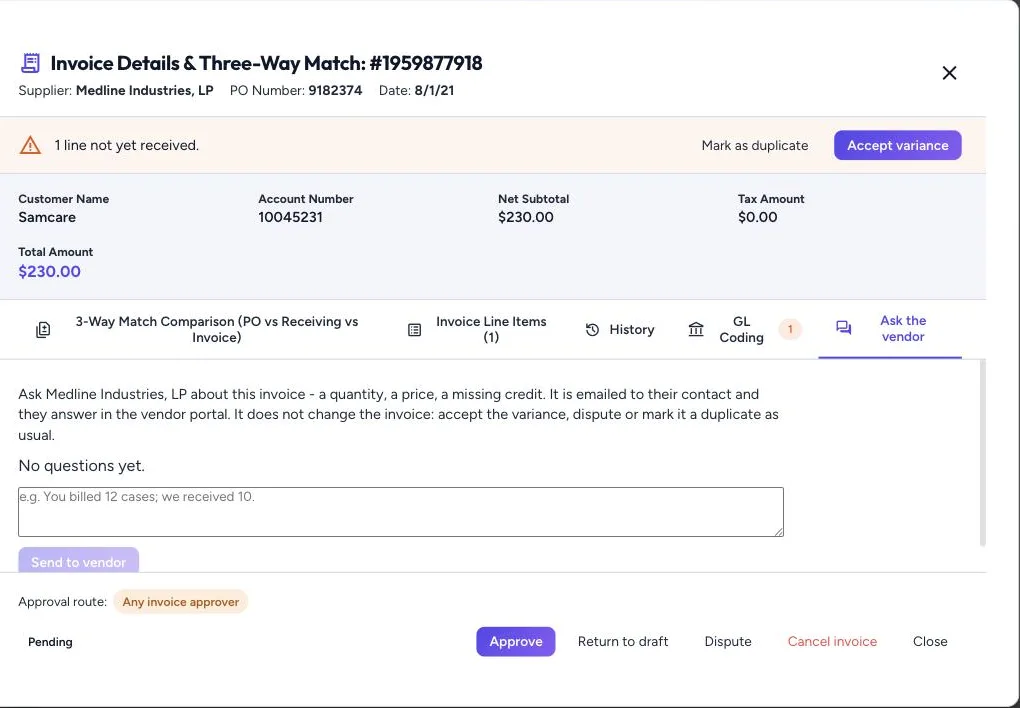
Ask the vendor
When something on an invoice is unclear, open Ask the vendor. It starts a question thread on the invoice that the supplier answers in the supplier portal, so the conversation stays with the invoice instead of in someone’s inbox. Asking doesn’t change the invoice’s status.