Order guides and par levels
Build the approved item list for a location, with par levels and default quantities.
An order guide is the approved list of items for a location, with par levels and default quantities. Choosing a guide when you start a requisition fills it from the guide.
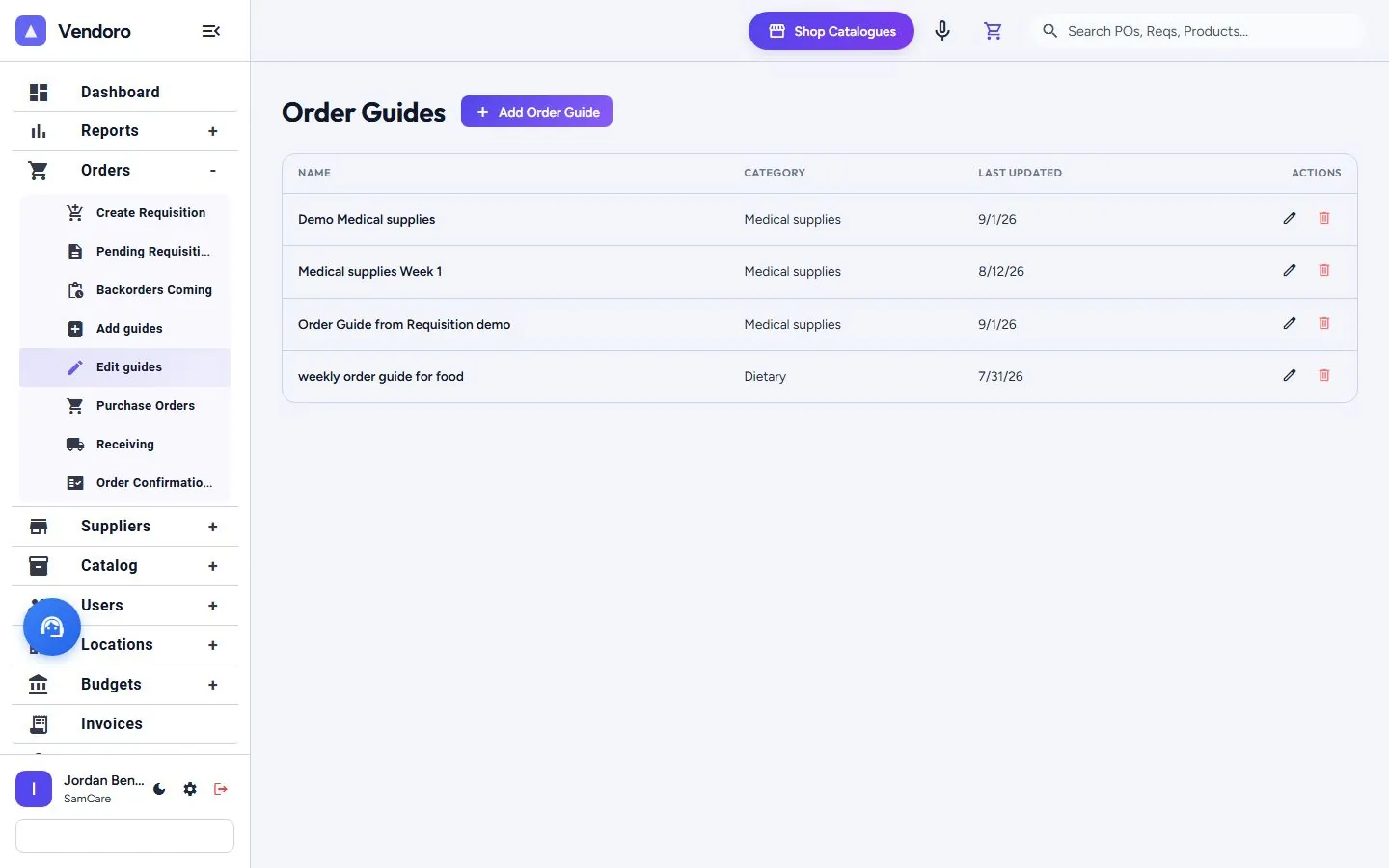
Create a guide
Go to Orders › Add guides (or Add Order Guide on the guide list).
- Guide Name and Category (for example “Nursing week 1”, Medical supplies).
- Associated Location(s): pick a location group or individual locations. One guide can serve many.
- Select Products: choose a category, then pick items from all catalogues or one supplier’s. Show Only Selected and Group by Category help with long lists. Inactive products aren’t listed.
- Set par levels and default quantities, then Save Guide.
Edit guides
Orders › Edit guides lists every guide with its category and when it was last updated.
Each location can keep its own par on a shared guide. Set it while counting stock: tap an item’s par to change it for that location (this needs the Edit order guides right). Count Stock is no longer in the menu, but saved links to it still work.
Ordering off the guide
A location’s order guides are its approved items. If someone adds an item that isn’t on them, including a typed-in Quick-Add item, they’re warned before sending and can say why. The order isn’t blocked, and the approver sees the flagged items and the reason. A location with no guides gets no warning.
Only people with the right Add products outside of order guides can search the full catalog. The Off Order Guide report (under Reports › Ask AI Reports) shows everything ordered off guide.