The supplier portal at a glance
The menu, the dashboard, search, and the emails suppliers get.
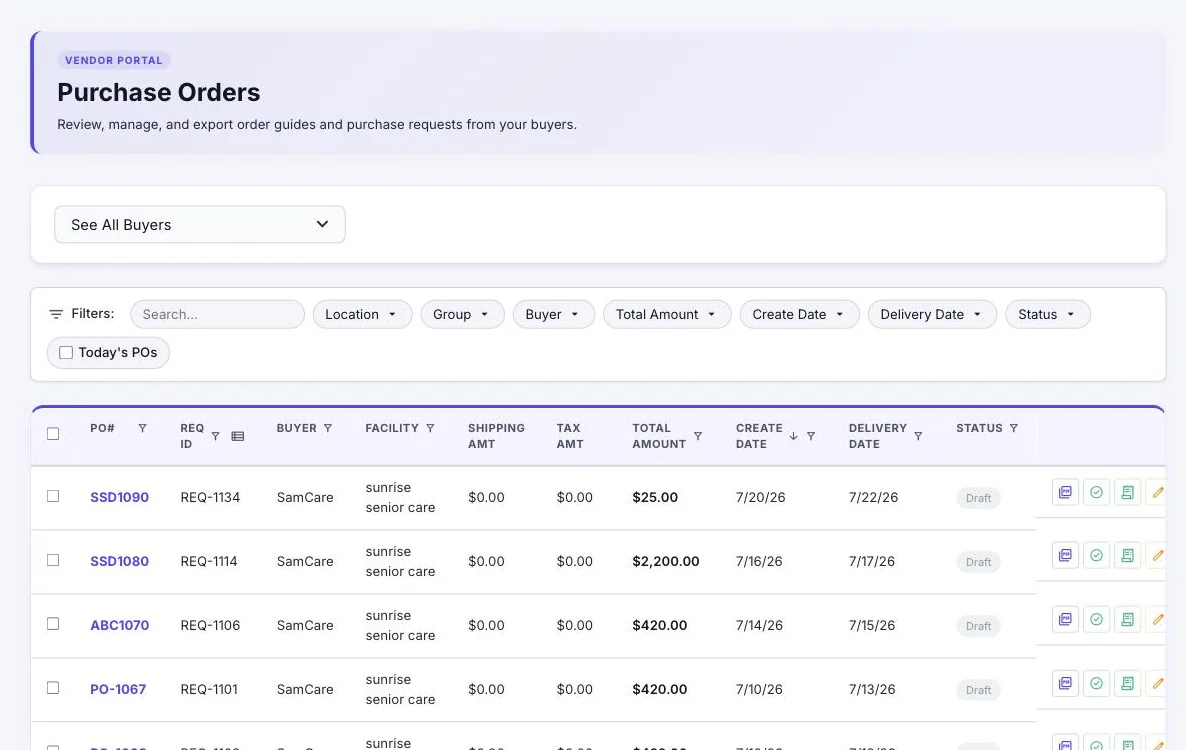
The supplier portal at vendor.vendoro.ai has one menu on the left:
| Menu | What’s in it |
|---|---|
| Dashboard | Connection offers from buyers, connected buyers, and the purchase orders waiting for you to confirm |
| Buyers | Every buyer you’re connected to, and what you share with each |
| Orders | Purchase orders from all your buyers |
| Invoices | What you’ve invoiced, what’s owed, and buyer questions |
| Catalog | Search Product, Add Product, Uploads, Customer Pricing, Price Tiers |
| Profile | Your company details, contacts, your Vendoro billing, and tax and insurance |
At the top, Search POs, Products… finds an order or a product; press Enter to open the first result. At the bottom left are your name and company, a gear that opens your company profile, a light and dark mode switch, and sign out.
The dashboard
- Connection offers: when a buyer you aren’t connected to sends you a purchase order, an offer appears at the top. Choose Connect to see their orders in full, set your prices for them and invoice them, or Not now to decline. If you decline, the buyer can offer again with their next order.
- Connected Buyers: how many buyers you’re connected to. Your Connected Buyers lists them with the date each connection started.
- POs to confirm: purchase orders sent to you that you haven’t confirmed yet. Click it to go to Orders.
- Purchase Orders You Need to Confirm: the first 10 of those orders, each with a Confirm button, then View All for the rest. Search and filter by buyer or location.
You only see orders and invoices that were sent to your company by buyers you’re connected to.
How buyers connect to you
Buyers start the connection; there’s no button for a supplier to invite a buyer.
- An invitation email (“Vendoro Vendor Portal Invitation”) opens Accept Invitation. If the invitation goes to an email that already has a portal account, you’re connected straight away.
- From a new purchase order: signing in through the link in a new-PO email connects you to that buyer.
- A connection offer: a buyer’s purchase order also sends you an offer on the dashboard, which you accept or decline.
Emails you’ll get
- New Purchase Order from a buyer, with a link straight to it
- Invitations from buyers
- Question about invoice … when a buyer asks about an invoice; reply under Invoices
- Insurance certificate reminders 30 days before a certificate expires, and again if it lapses